
Views: 0 Author: Site Editor Publish Time: 2025-09-28 Origin: Site
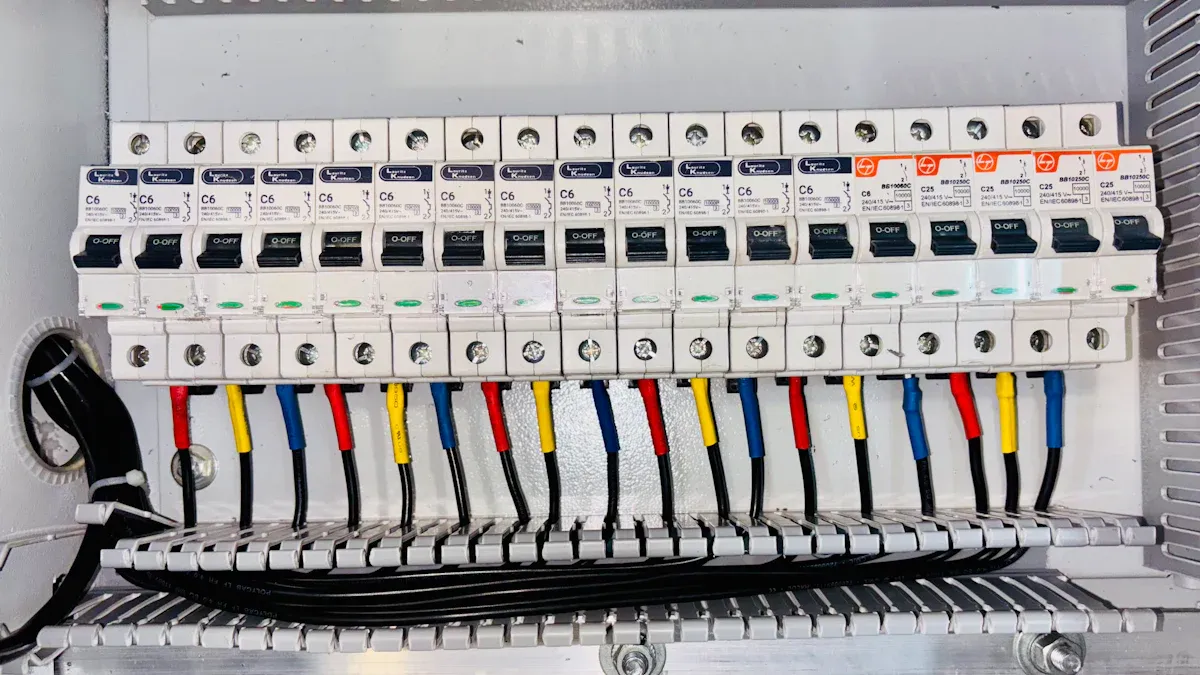
You can install and maintain a Thermal Trip Unit with a few easy steps. Always turn off the power before you start. Use the right tools and follow clear instructions for safe results. HAIPART gives you products that work well and last long. You do not need to be an expert. Just follow simple actions and you will keep your electrical systems safe and reliable.
Always turn off the power before you work on your Thermal Trip Unit. This easy step stops electric shock and keeps you safe.
Check your unit every three months. This habit helps you find problems early. It also makes sure your electrical system works well.
Use the correct tools for installation and maintenance. Insulated tools keep you safe from electric shock. They also make your job easier.
Follow a checklist when you install the unit. This helps you stay organized and avoid mistakes. It also makes sure your setup is safe.
Pick a Thermal Trip Unit that is very strong. A unit that lasts a long time saves you time and money. You will not need many repairs or replacements.
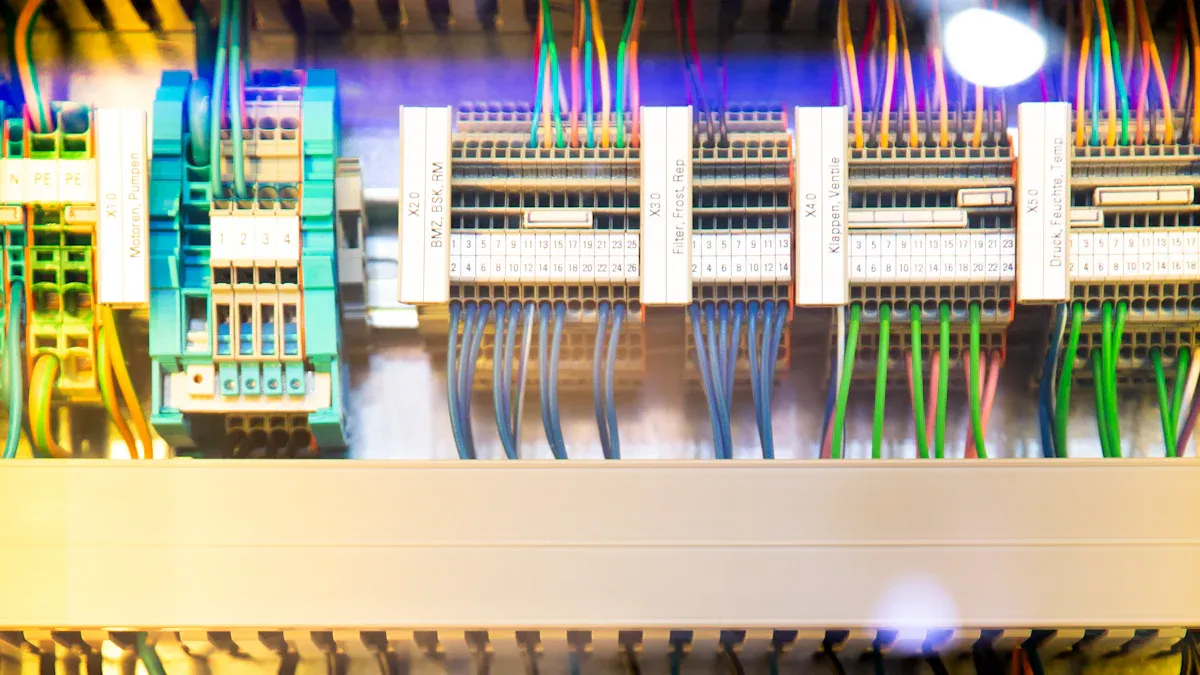
A Thermal Trip Unit is found inside many circuit breakers. It is a safety part that helps stop your electrical system from getting too hot. This unit has a bi-metallic strip that bends when it gets warm. When the strip bends enough, it makes the circuit breaker turn off the power. This stops electricity from flowing and helps stop damage or fire. The Thermal Trip Unit works slowly and keeps your system safe during overloads.
Tip: You do not have to be an expert to know how this works. The Thermal Trip Unit reacts to heat and keeps your equipment safe.
You can find the Thermal Trip Unit in many protection systems. It helps keep your home or business safe from electrical trouble. Here is how it works in a circuit protection system:
The Thermal Trip Unit is like the "brain" of a circuit breaker. It checks the electrical current and decides when to turn off the circuit.
It gives you important protection from overloads and short circuits.
These units have gotten better over time. Old ones used simple bi-metallic strips, but now some use advanced electronics for better control.
You can see Thermal Trip Units in factories, offices, and homes. They protect big machines and computers from too much current.
These units watch for too much heat or overloads and act fast to keep things safe.
If you use a Thermal Trip Unit, you help stop overheating and protect your important equipment. This small device is very helpful in modern electrical systems.
HAIPART’s precision bimetal technology gives you strong protection. Nickel-chromium and copper strips react fast to heat. If the current is too high, the bimetal strip bends. This action makes the breaker turn off quickly. You do not have to worry about slow action. The technology works fast and helps stop damage. Engineers test every strip to make sure it bends at the right temperature. You can trust this system to keep your equipment safe.
Note: Precision bimetal technology gives you steady performance each time.
HAIPART makes the Thermal Trip Unit to meet strict rules. The unit has temperature accuracy of ±3%. This means it reacts at the right time, even if the environment changes. The product follows GB 14048.2, IEC 60898, and UL 489 standards. These rules show the unit’s quality. The unit works in temperatures from -25°C to 70°C. You can use it in many places, like factories or offices.
Feature | Value |
|---|---|
Temperature Accuracy | ±3% |
Response Time | 60 seconds at 1.5x |
Standards | GB 14048.2, IEC 60898, UL 489 |
You want a product that lasts a long time. HAIPART builds the Thermal Trip Unit for over 20,000 mechanical operations. The unit has IP40 protection, so dust and small things cannot get inside. You can use it in tough places without worry. The strong design means you spend less time fixing it. Your system keeps running smoothly and safely.
Tip: Pick a unit with high durability to save time and money.
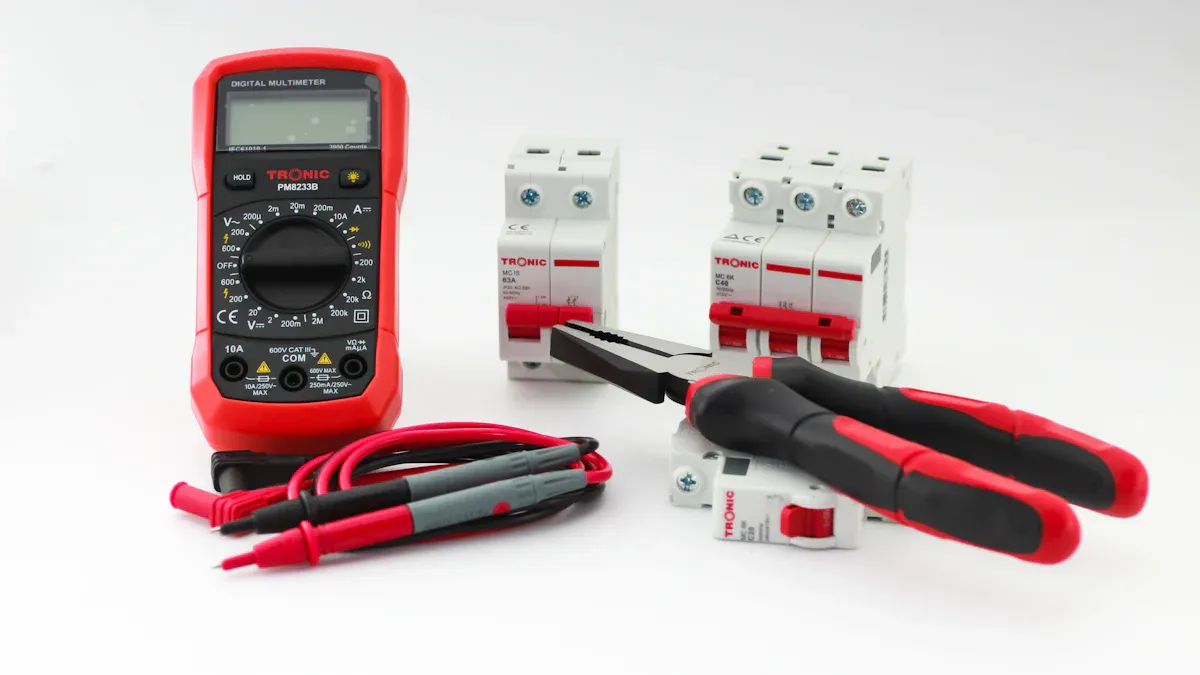
You must have the right tools before you start. Getting ready makes your work easier and safer. Here is a simple list to help you get prepared:
Insulated screwdriver set ��
Wire stripper and cutter
Needle-nose pliers
Voltage tester
Safety gloves
Safety goggles
Small brush or cloth for cleaning
Mounting screws (if not included)
Tip: Always use insulated tools when working with electricity. This keeps you safe from electric shock.
Look in your toolbox for these tools. If you are missing something, you can buy it at a hardware store. Using the correct tools helps you avoid errors and keeps your work safe.
You should use a checklist before you install your Thermal Trip Unit. This helps you stay organized and avoid problems. Here is a table to help you:
Step | What to Do | Why It Matters |
|---|---|---|
Power Off | Turn off all power sources | Prevents electric shock |
Read Manual | Review the product instructions | Ensures correct setup |
Inspect Unit | Check for damage or missing parts | Avoids faulty installation |
Gather Tools | Collect all required tools | Saves time |
Clean Area | Remove dust and debris | Improves safety |
Check Mounting | Confirm mounting points are secure | Prevents loose fitting |
Note: Never skip turning off the power. Safety is always most important.
You can print this checklist or save it on your phone. Following each step helps you finish the job quickly and safely. You will stay organized and make fewer mistakes.
You should always think about safety first. This keeps you and your things safe. Here are some steps to follow:
Look around the area for anything dangerous. Pick up messes and tie down loose stuff.
Make sure air can move well in the room. This helps keep dust and bad air away.
Wear gloves and safety glasses to protect yourself.
Read the HAIPART manual and do what it says.
Only use insulated tools and the right wire size.
Never touch live circuits. Always turn off the power at the main switch.
Tip: Keeping your work area clean and neat helps stop accidents.
It is easy to put in your HAIPART Thermal Trip Unit if you do these steps:
Pick a dry spot inside your panel or breaker box. Make sure there is no dust.
Line up the unit with the holes for mounting. Use the screws that come with it or ones that fit well.
Use an insulated screwdriver to tighten the screws. Do not make them too tight or you might break the unit.
Check that the unit is flat and does not wiggle.
Make sure you can reach the unit later for checks or repairs.
You need to make sure your electrical connections are safe. Here are some tips:
Use good wires and connectors. This keeps your system working well.
Follow all electrical rules and codes.
Ground the unit right so you do not get shocked or start a fire.
Put labels on each wire and circuit. This helps you check things later.
Write down your wiring notes. Good notes help you fix problems.
Only let trained people do electrical work.
Use new tools for better safety and to work faster.
Note: Always check your wires before you turn the power back on.
Here are some mistakes people make and how to stop them:
Mistake | Description | Recommendation |
|---|---|---|
Undervoltage protections set too high | Motors can get too hot and not last long if they run below the right voltage. | Set undervoltage protection below 90% of the rated voltage so it does not turn off too soon. |
Thermal overload set incorrectly | Wrong settings can turn things off when you do not want or not protect enough. | Set overload protection at 125% of full-load current. Always read the relay instructions. |
Magnetic protection set incorrectly | The motor must turn off fast during a problem but should not trip from normal starting current. | Make sure magnetic protection lets inrush current up to 800% of the rated current. |
After you finish putting in the unit, you need to test it:
Check all wires and screws again.
Turn the power back on at the main switch.
Use a voltage tester to see if the unit has power.
Make the load a little bigger to test for overload. Watch if the unit trips like it should.
Listen for strange sounds or look for warning lights.
If the unit trips right, reset it and use your system like normal.
Tip: Test your Thermal Trip Unit often to keep your system safe and working well.
Keeping your Thermal Trip Unit in good shape helps your electrical system work safely and last longer. You do not need to spend much time if you follow a simple routine. Here is a step-by-step guide to help you inspect, clean, calibrate, and troubleshoot your unit.
You should check your unit often. Regular inspections help you spot problems early. Use this checklist to make sure you do not miss anything:
Look at the unit for signs of dust, dirt, or moisture.
Check all wires for damage or loose ends.
Make sure all screws and mounting points are tight.
Inspect the area around the unit for anything that could block airflow.
Test the trip function by simulating a small overload if possible.
Review the labels and notes on your wiring for accuracy.
Tip: Set a reminder on your phone to inspect your unit every three months. This habit saves you time and trouble later.
Dust and dirt can build up on your unit and cause it to overheat or work poorly. Cleaning keeps your unit running well. For most users, a soft brush or dry cloth works best. Gently wipe away dust from the surface and around the wires. If you see sticky or oily dirt, use a slightly damp cloth, but make sure the power is off first.
Thermal cleaning can restore equipment to its original state and reduce downtime. This method uses high heat to make dirt brittle and easy to remove. Most home and office units do not need this, but it helps in tough industrial settings. If your unit cannot handle high heat, use a two-step process: first, heat the area to loosen dirt, then use water or air to wash away the rest.
Note: Always turn off the power before you clean. Never use water or sprays directly on the unit.
Calibration keeps your unit accurate. You want your Thermal Trip Unit to trip at the right time. To check calibration, follow these steps:
Read the manual for your unit’s settings.
Use a test load to see if the unit trips at the correct current.
Adjust the settings if the trip happens too soon or too late.
Use a multimeter to check the current and voltage.
Record your results for future checks.
If you notice the unit trips at the wrong time, repeat the test. If it still does not work right, you may need to replace the unit.
Tip: Busy users can schedule calibration once a year. Mark it on your calendar to stay on track.
Sometimes, your unit may not work as expected. You can fix many problems with a few simple checks. Here are the most effective steps:
Inspect visible wiring for damage.
Ensure connections at receptacles and junction boxes are secure.
Check for faulty breakers that may trip without overload.
Address compressor and capacitor issues that can lead to excessive current draw.
Clean condenser coils to prevent overheating due to blockages.
Use diagnostic tools like multimeters and ammeters to check voltage and amperage.
You may also face common causes of malfunction. The table below shows what to look for and how to fix it:
Cause | Description | Recommended Action |
|---|---|---|
Overload | Circuit draws more current than rated for a long time. | Spread out loads, upgrade breaker if needed, watch for equipment overuse. |
Short Circuit | Sudden high current from wire contact or insulation failure. | Look for burnt wires, test insulation, repair or replace damaged parts. |
Earth Leakage | Moisture or bad insulation causes current to leak to the ground. | Check insulation, dry and seal boxes, improve grounding. |
Trip Settings/Aging | Wrong settings or old parts cause nuisance trips. | Review settings, test function, replace if calibration fails. |
Note: If you cannot solve the problem, contact a qualified electrician or HAIPART support for help.
Regular care and quick action help your unit last longer. You save time and money by preventing big problems before they start.
You want to keep your electrical system safe without spending too much time. Here are some shortcuts that help you finish tasks quickly:
Set Reminders on Your Phone ��
You can use your phone to remind you about inspections or cleaning. This helps you remember important tasks and saves you from missing checks.
Use Pre-Labeled Wires
You can buy wires with labels already attached. This makes installation and troubleshooting much faster.
Keep a Maintenance Log
Write down each inspection or repair in a notebook or app. You can check your log to see when you last worked on your unit.
Prepare a Tool Kit
Store all your tools in one box. You will not waste time looking for what you need.
Follow a Simple Checklist
Print out or save a checklist for installation and maintenance. You can tick off each step as you go.
Tip: You can finish most routine checks in less than 10 minutes if you stay organized.
You want your HAIPART Thermal Trip Unit to last and work well. Follow these best practices for the best results:
Practice | Why It Helps |
|---|---|
Inspect every 3 months | Stops problems before they grow |
Clean with a dry cloth | Prevents overheating and dust build-up |
Test trip function | Confirms safety and reliability |
Record calibration data | Tracks accuracy over time |
Use only insulated tools | Keeps you safe from electric shock |
Always turn off the power before you touch the unit.
Read the HAIPART manual before you start any task.
Replace damaged wires or parts right away.
Ask for help from a qualified electrician if you see something strange.
Note: You keep your system safe and reliable when you follow these steps. You also save money and time in the long run.
You can put in and take care of your Thermal Trip Unit if you follow easy steps. First, make sure you have all your tools. Always turn off the power before you start. Use a checklist to help you install it safely. Clean the unit often and look at it to make sure it works well. Doing these things often stops problems and keeps your equipment safe. Pick HAIPART for good circuit protection and to feel calm.
Remember, doing simple checks helps your electrical system stay safe and strong.
You should inspect your unit every three months. Regular checks help you find problems early. Set a reminder on your phone to stay on schedule.
Check for overloads or wiring issues. Make sure you set the trip current correctly. If problems continue, contact a qualified electrician or HAIPART support.
You can install the unit if you follow the manual and safety steps. Always turn off the power first. If you feel unsure, ask a professional for help.
Certification | Description |
|---|---|
GB 14048.2 | China safety standard |
IEC 60898 | International standard |
UL 489 | North America standard |
These certifications show the unit meets strict safety and quality rules.
Always turn off the power before cleaning. Use a soft brush or dry cloth to remove dust. Never spray water or cleaner directly on the unit.


